 Viva Engage Compliance
Creating Effective Compliance through Collaborative Governance
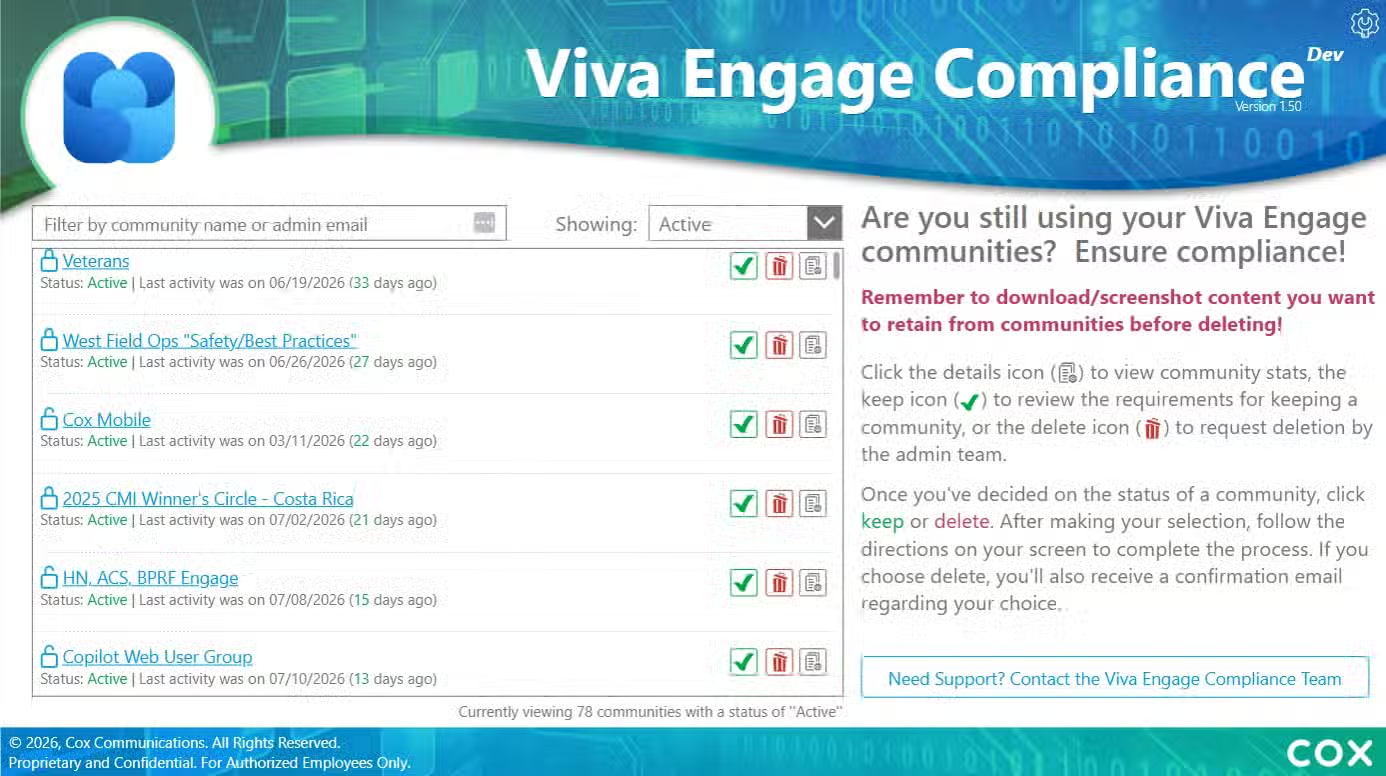
The Viva Engage Compliance app provides a centralized way to monitor Viva Engage communities and manage compliance and cleanup activities. It helps administrators identify inactive communities, review their status and activity, and determine whether communities should remain active or be removed.
Core capabilities
- Lifecycle Status:
View and filter Viva Engage communities by compliance and lifecycle status. - Community Analytics:
Review community activity, ownership, membership, and analytics details. - Administrative Features:
Add administrative notes and track decisions or follow-up actions. - Support Community Owners:
Support owner notifications, reminders, and keep-or-remove workflows for communities requiring attention. - Community Identification:
Help identify communities for removal when compliance requirements are not met.
Intended audience and value
The shop is designed for automotive and marine enthusiasts seeking high-end custom craftsmanship, personalized vehicle builds, and expert fabrication services.
The app is designed for Viva Engage administrators, community owners, and teams responsible for collaboration governance. By centralizing community reviews, compliance tracking, and cleanup decisions, Viva Engage Compliance helps keep communities active, relevant, and aligned with Cox governance practices.
Screenshots

Tools/Skills
Purpose
This report summarizes the UX/UI and digital design journey undertaken to create Viva Engage Compliance—from understanding the administrative and governance need to designing the review experience, shaping the content, supporting development, and refining the final product.
The goal was to create a centralized administrative experience for reviewing Viva Engage communities, understanding their activity and lifecycle status, recording decisions, communicating with administrators, and supporting keep, remove, or deletion workflows.
Case-Study Type: UX/UI Design
Solution Type: Power Apps / Power Automate / SharePoint
My role and responsibilities
I owned the experience design across the solution. My contribution included shaping the information architecture, designing the community review dashboard, defining compliance and lifecycle status patterns, designing community detail and analytics views, creating the review and deletion-confirmation workflows, writing the interface copy, establishing the visual system, and supporting the design through implementation and refinement.
The work required translating a governance process into a clear administrative experience. The interface needed to help users review communities consistently, understand the evidence behind a decision, communicate with owners or administrators, and avoid accidental or uninformed removal actions.
Understanding the opportunity
The initial opportunity was to make Viva Engage community compliance and lifecycle management more structured, visible, and actionable. Administrators need to review communities at scale, but important information can be difficult to compare when it is spread across separate views, messages, activity records, and manual follow-up processes.
The UX challenge can be summarized as:
How might we help administrators review Viva Engage communities consistently, understand their activity and status, and make informed lifecycle decisions with confidence?
This framing influenced the dashboard structure, community list, status indicators, detail views, administrative statistics, confirmation messaging, and communication tools.
The experience needed to support multiple administrative intents:
- Identify communities requiring review.
- Filter and scan communities by status or other attributes.
- Review ownership, membership, activity, and analytics details.
- Record notes and supporting context.
- Notify or contact administrators when clarification is needed.
- Determine whether a community should remain active, be removed, or move into a deletion workflow.
- Confirm consequential actions before they are submitted.

Designing the Viva Engage community compliance solution was only one part of the business ask. Administrators needed to be made aware of changes in community compliance and community owners needed to know when they were close to becoming out-of-compliance.
A "lifecycle management" concept was created by the 3-member team and the automation that was ultimately created allowed a 2-person admin team to manage thousands of communities.
Research and discovery
The research and discovery work focused on understanding the administrative review process, the information required to evaluate a community, and the points where governance decisions could become inconsistent or difficult to defend.
Key discovery considerations included:
- How administrators identify communities that require compliance or lifecycle review.
- Which signals matter when evaluating community health, including activity, ownership, membership, posts, messages, and recent engagement.
- How status categories should be presented so users can distinguish active, removed, deleted, or review-related conditions.
- What information administrators need before deciding whether to keep a community active or initiate removal.
- How notes, reminders, owner communication, and follow-up actions fit into the review process.
- How to reduce the risk of accidental deletion by explaining the consequence and requiring confirmation.
- How administrative totals and summary counts can help users understand the overall state of the Viva Engage environment.
The research direction was to treat compliance as a decision-support experience rather than a simple cleanup list. Administrators need enough context to make a decision, a way to document the decision, and a clear path to communicate or escalate when information is incomplete.
Experience strategy and customer journey
The strategy was to create a review-centered administrative tool that combines overview, investigation, documentation, communication, and action. The experience gives users a broad view of community status while allowing them to open a specific community and examine the evidence behind its current condition.
The strategy was guided by five principles:
- Decision clarity: Present the status, evidence, and available actions in a way that supports informed decisions.
- Progressive detail: Start with a manageable list and summary counts, then provide deeper community details and activity metrics when needed.
- Safe administration: Make consequential actions explicit and require confirmation before deletion or removal requests are submitted.
- Documented accountability: Provide ways to add notes, track decisions, and preserve context for follow-up.
- Efficient governance: Use filtering, status treatments, summary statistics, and reusable review patterns to support work at scale.
This strategy turned a potentially manual and fragmented compliance process into a repeatable administrative workflow.
Information architecture and content structure
A significant part of the UX work was organizing the information needed to move from community discovery to an informed administrative action. The experience combines a community list, summary statistics, detail views, administrative actions, and communication patterns.
The experience includes:
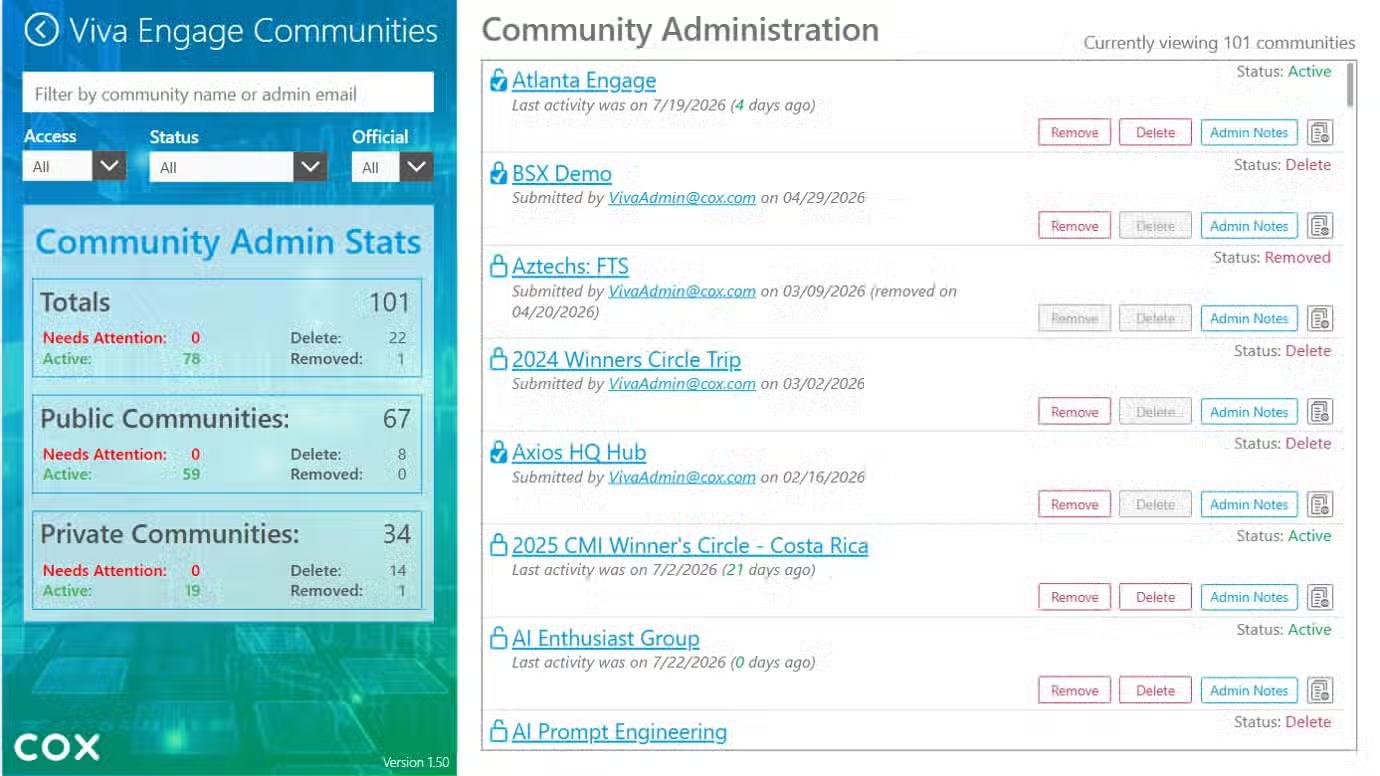
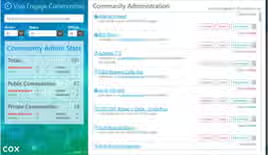
- Community review dashboard: A list of Viva Engage communities with filtering, status information, and row-level actions.
- Community administration: A management view that supports reviewing communities and taking actions such as viewing details, adding notes, removing, or initiating deletion-related steps.
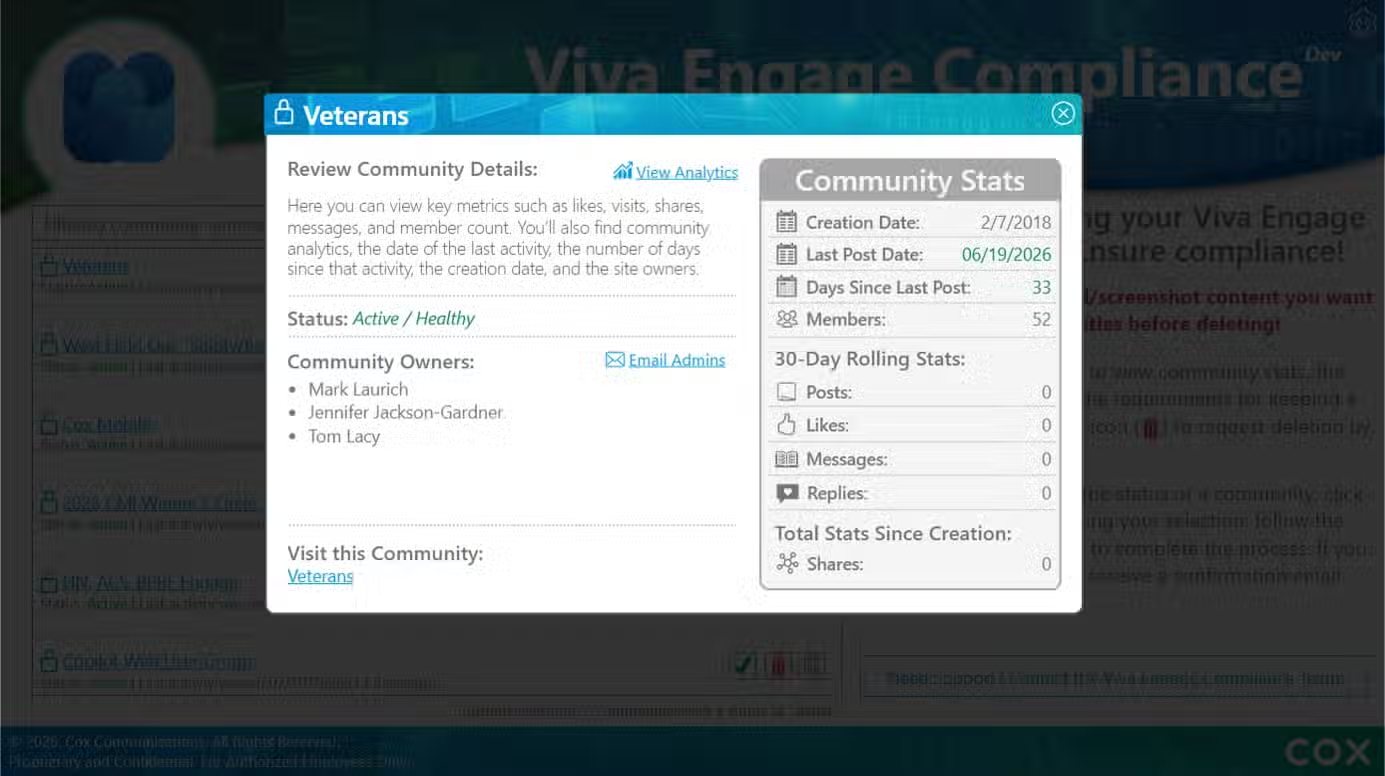
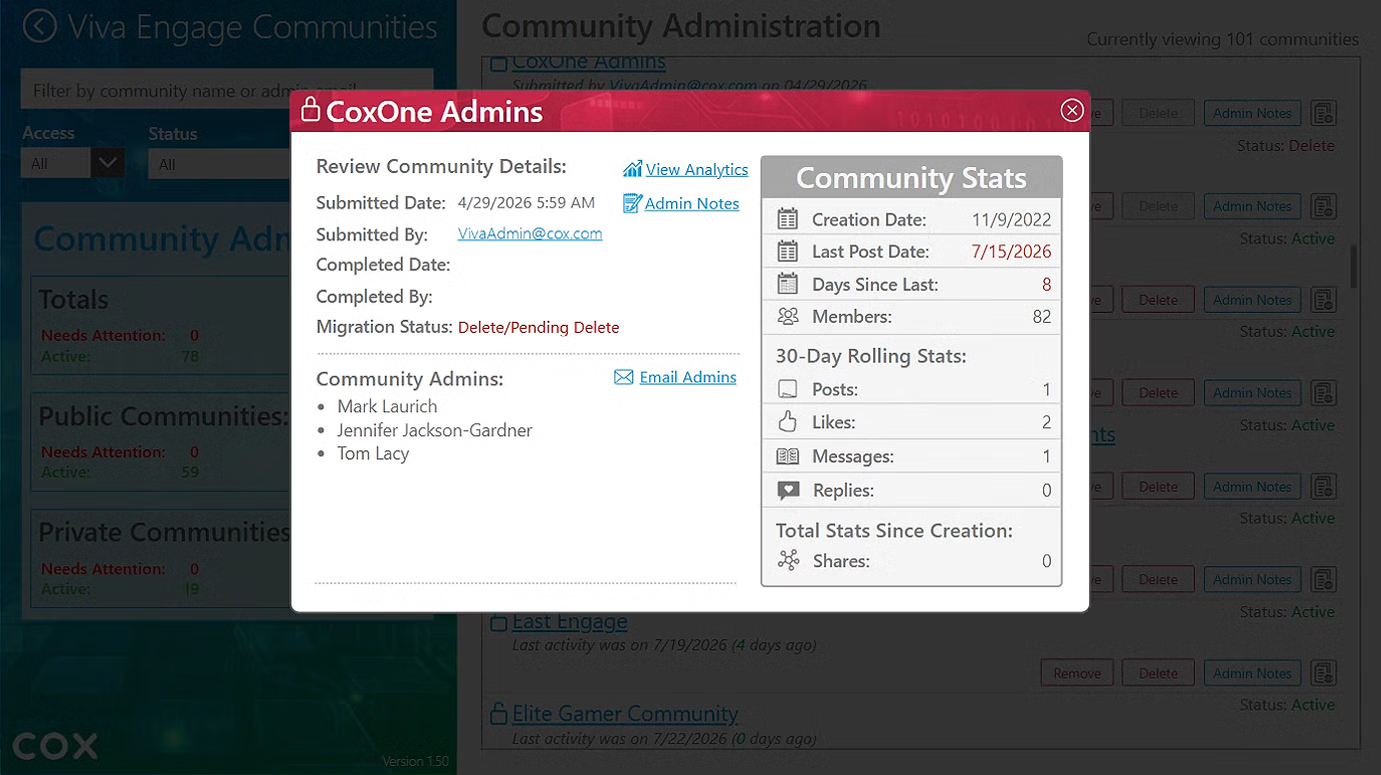
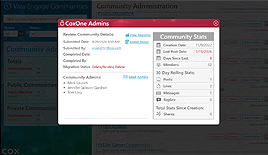
- Community details: Ownership, creation information, activity, membership, posts, messages, analytics, and other evidence needed for review.
- Community statistics: Summary counts that help administrators understand active, public, private, deleted, removed, or other lifecycle categories.
- Review and decision support: Clear status treatments, notes, reminders, and supporting information for keep-or-remove evaluation.
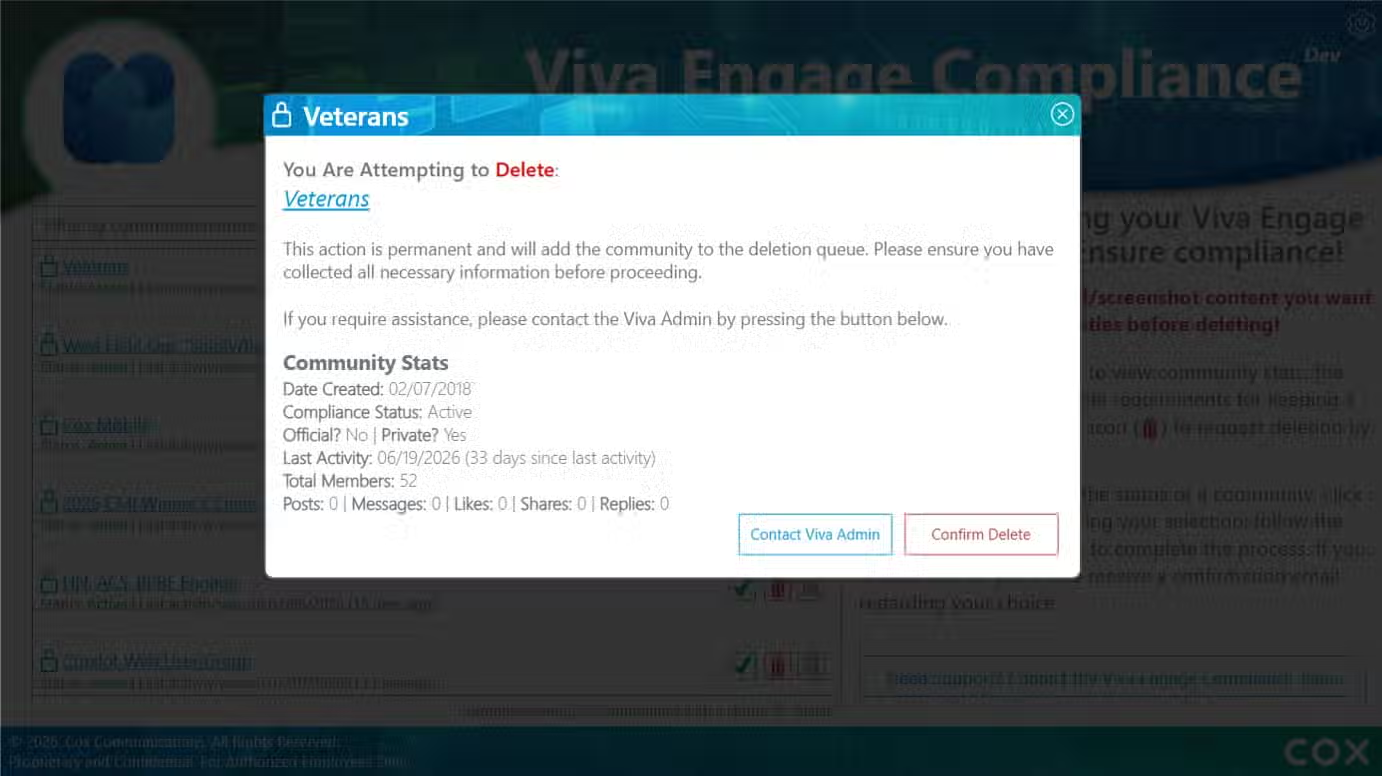
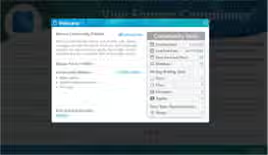
- Deletion confirmation: A dedicated warning and confirmation experience that explains the consequence of requesting community deletion.
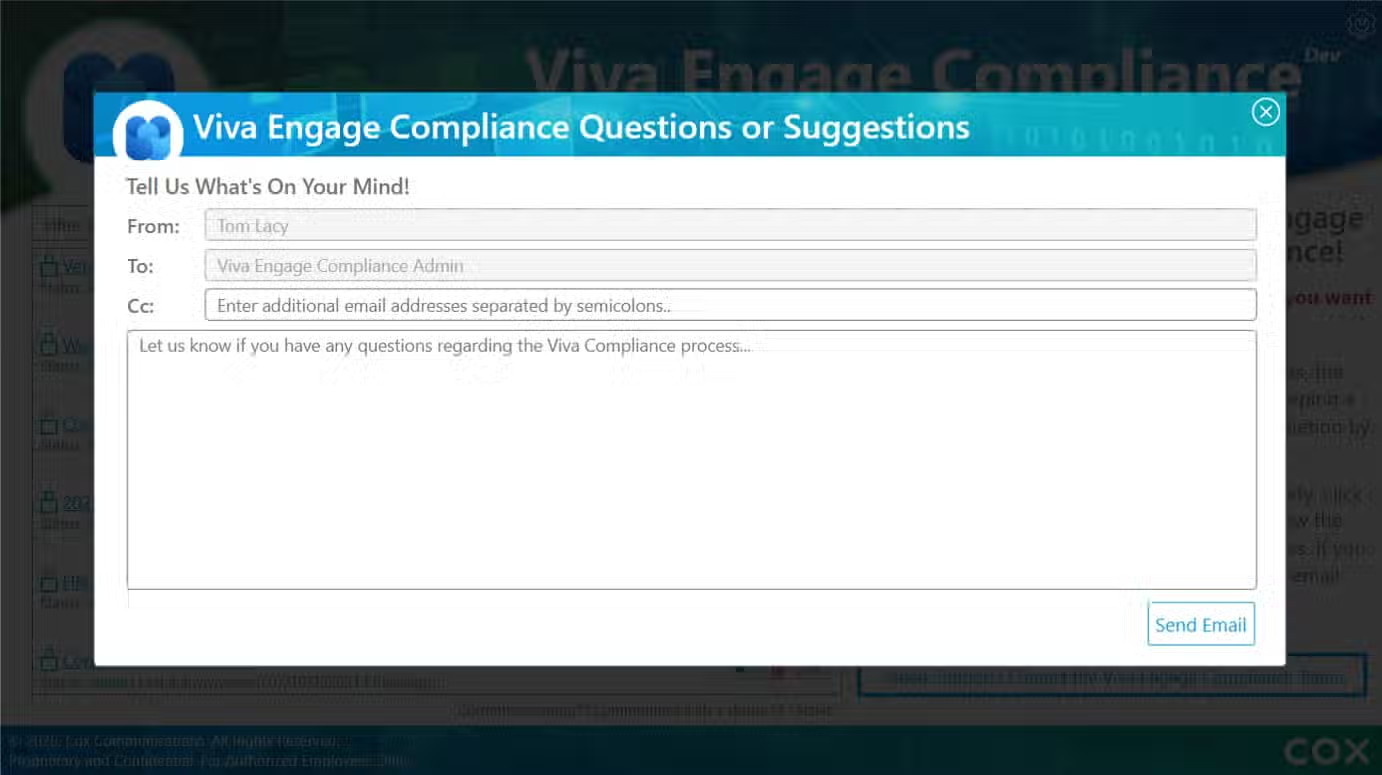
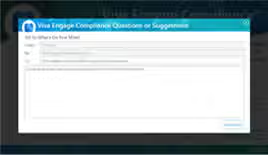
- Administrative communication: A question or suggestion form that supports contacting Viva Engage administrators with context and follow-up needs.
The information architecture was designed to maintain context as users move between the portfolio view and a specific community. Administrators can scan the broader environment, open a community for investigation, communicate or document findings, and return to the management view without losing the larger picture.
UX/UI design and visual system
I designed the complete interface experience, including the community list, status treatments, filters, summary statistics, detail modals, admin actions, warning messages, contact form, and visual hierarchy for compliance review.
The uploaded screens make the design approach visible through several reusable patterns. The design work included:
- Creating a dashboard that supports fast review of multiple communities without requiring users to open every record.
- Designing status indicators and action controls that distinguish active, review-related, removed, and deleted conditions.
- Creating community detail views that bring ownership, dates, activity, membership, posts, messages, and analytics into one reviewable context.
- Designing summary-stat panels that give administrators an immediate view of the overall community portfolio.
- Creating a clear administrative action area for details, notes, removal, and deletion-related decisions.
- Designing a deletion-warning experience that uses direct language, visual emphasis, and confirmation controls to reduce accidental action.
- Creating a question or suggestion form with clear recipient, subject, and message fields for administrative follow-up.
- Using consistent panels, tables, modal windows, buttons, filters, labels, and status treatments across the workflow.
- Aligning the experience with Cox and Viva Engage visual cues while maintaining a focused administrative identity.
- Considering accessibility, contrast, readability, responsive behavior, and reusable UI patterns.
The design intent was to make the experience trustworthy and deliberate. Compliance administration involves decisions that can affect communities and their members, so the UI needed to communicate status clearly, expose relevant evidence, and slow the user down at the moments where confirmation matters.
Copywriting and content design
I owned the copywriting and content design across the experience. The language needed to be clear, neutral, and operationally precise because administrators are reviewing communities and making decisions that may affect their availability and membership.
The content-design work included:
- Naming navigation areas and administration views.
- Defining community status labels and action language.
- Writing guidance that explains what administrators should review.
- Creating labels and descriptions for activity, ownership, membership, posts, messages, analytics, and lifecycle data.
- Writing keep, remove, delete, details, notes, and follow-up action labels.
- Creating warning and confirmation copy for deletion-related actions.
- Writing the administrator question or suggestion form, including subject and message guidance.
- Using clear, non-ambiguous language to distinguish a review, a removal request, and a permanent deletion action.
- Ensuring that the interface supports both experienced administrators and users who may need additional context to interpret community metrics.
The result is a content model in which language helps establish trust and accountability. The copy is part of the control system: it explains what information means, what an action will do, and what the administrator should consider before proceeding.
Development and design-to-build collaboration
The development phase required translating the compliance strategy, information model, UI patterns, status behavior, and administrative actions into a working solution. The focus was on preserving clarity across list views, detail views, summary statistics, modals, forms, and confirmation states.
The design-to-build process included:
- • Communicating page structures, navigation behavior, status rules, action expectations, and content relationships.
- • Supporting the implementation of community filtering, detail views, statistics, notes, contact workflows, and administrative actions.
- • Reviewing working screens to identify gaps between the intended experience and the implementation.
- • Refining layouts, labels, status visibility, modal content, field behavior, and action placement based on build realities.
- • Balancing efficient administrative review with the need for deliberate confirmation around destructive or irreversible actions.
- • Ensuring the product could evolve as governance requirements, community states, and administrative workflows changed.
The UX contribution extended beyond initial screen design. It included ongoing translation between compliance rules, administrative needs, content, data, visual design, and the implemented Power App.
Validation, iteration, and outcome
The experience was refined through review and iteration across dashboard scanning, status interpretation, community investigation, summary statistics, administrative actions, warning messages, and follow-up communication.
The key validation questions were:
- Can an administrator quickly identify which communities require attention?
- Can the user understand a community’s status and supporting activity evidence?
- Can the user distinguish review, removal, and deletion-related actions?
- Does the detail view provide enough context to support a defensible decision?
- Can administrators record notes or contact the appropriate administrator when information is incomplete?
- Does the confirmation experience reduce the risk of accidental deletion or removal?
- Can the solution scale as the number of communities and governance requirements change?
The completed experience provides a centralized way to review Viva Engage communities, understand their activity and lifecycle condition, document decisions, communicate with administrators, and support compliance-related cleanup.
Key takeaway
The creation of Viva Engage Compliance required end-to-end UX/UI and digital design ownership—not only screen design. The work combined administrative discovery, experience strategy, information architecture, compliance status modeling, interaction design, visual design, copywriting, decision-support workflows, development collaboration, and iteration.
The central contribution was translating a sensitive governance process into a clear, accountable, and usable administrative experience. The solution helps administrators move from a portfolio-level view to community-level evidence, then to documented communication or action, without losing context.
The design balances efficiency with caution. Users can review many communities quickly, but the experience also makes important evidence visible and introduces deliberate confirmation before consequential removal or deletion actions. This creates a stronger foundation for consistent community governance and ongoing lifecycle management.