 Jump! URL Shortener
Improving the Employee Experience with URL Link Management
The Jump! URL Shortener is a web-based application that provides a centralized way to create and access shortened links for enterprise resources and applications.
Core capabilities
- Create concise, easy-to-share links for internal resources.
- Provide a consistent entry point for accessing Cox applications and.avifages.
- Simplify sharing and remembering long URLs.
- Support organized navigation to frequently used company resources.
- Transfer shortened URLs one-at-a-time or in bulk.
- Switch ownership of URLs you create to other employees or make on behalf of others.
- Manage URLs you create: edit, delete, email, or copy.
Intended audience and value
The service is designed for employees who share or access internal applications, tools, and.avifages. By turning lengthy URLs into simple links, Jump! makes company resources easier to distribute, recognize, and access.
Tools/Skills
Screenshots

Project purpose
 The goal was to create more than a basic URL-shortening utility. Jump! was designed as a centralized web-based experience that helps Cox employees create, access, organize, and manage shortened links for internal resources and applications.
By turning lengthy URLs into concise, easy-to-share links, Jump! makes company resources easier to distribute, recognize, remember, and access.
I originally designed this solution before there was a designated developer to take over the project. Over the years, I worked with a team of developers, then a second, smaller team, and ultimately to a single, full-stack developer.
Case-Study Type: UX/UI Design
Solution Type: HTML / CSS / JS

I learned how to efficiently transition front-end design and development efforts through knowledge transfers to more highly trained professionals which provided unique insight into working with teams.
Understanding the opportunity
The initial challenge was to make internal resources easier to share and access without requiring employees to work with long, complex URLs.
Users needed a consistent entry point for creating shortened links, finding links they had already created, and managing those links over time. The experience also needed to support frequent actions such as copying, emailing, editing, deleting, and transferring URLs individually or in bulk.
The UX Challenge:
How do we turn long, difficult-to-manage URLs into simple, recognizable entry points while giving employees an organized way to create and manage the links they use?
This framing influenced the landing-page experience, link-creation workflow, My Links table, management actions, transfer capabilities, confirmation states, and Help content.
Discovery considerations
The discovery work focused on understanding the recurring tasks involved in sharing internal resources and managing shortened links after they were created.
Key considerations included:
- Providing a fast way to create a concise link from a long internal URL.
- Helping employees find frequently used links through a centralized My Links experience.
- Supporting both one-at-a-time and bulk URL transfer.
- Making common management actions visible, including edit, delete, email, and copy.
- Providing confirmation and feedback so users understand when a link has been created or an action is complete.
- Offering Help content for users who need additional guidance about the service.
These considerations led to an experience that combines quick link creation with organized management and accessible support content.
Experience strategy and customer journey
The strategy was to organize Jump! around a simple link lifecycle: create a shortened URL, access it when needed, and manage it as an ongoing company resource.
Jump! supports a progression from the landing page, to link creation, to confirmation and access, and then to organized management through the My Links experience.
The strategy was guided by five principles:
- Fast creation: Make the primary link-shortening task easy to discover and complete.
- Recognizable access: Turn long URLs into simple links that are easier to share and remember.
- Centralized management: Give users one place to find and manage the links they create.
- Action visibility: Keep common actions such as copy, email, edit, delete, and transfer close to each link.
- Guided use: Provide clear feedback and Help content so users understand the service and their next step.
This strategy turns URL shortening from a one-time conversion into a manageable workflow for ongoing access to Cox resources.
Information architecture and content structure
A significant part of the UX work was deciding how users should move between creating a link, confirming the result, accessing My Links, managing individual URLs, transferring links, and finding Help.
The primary experience areas include:
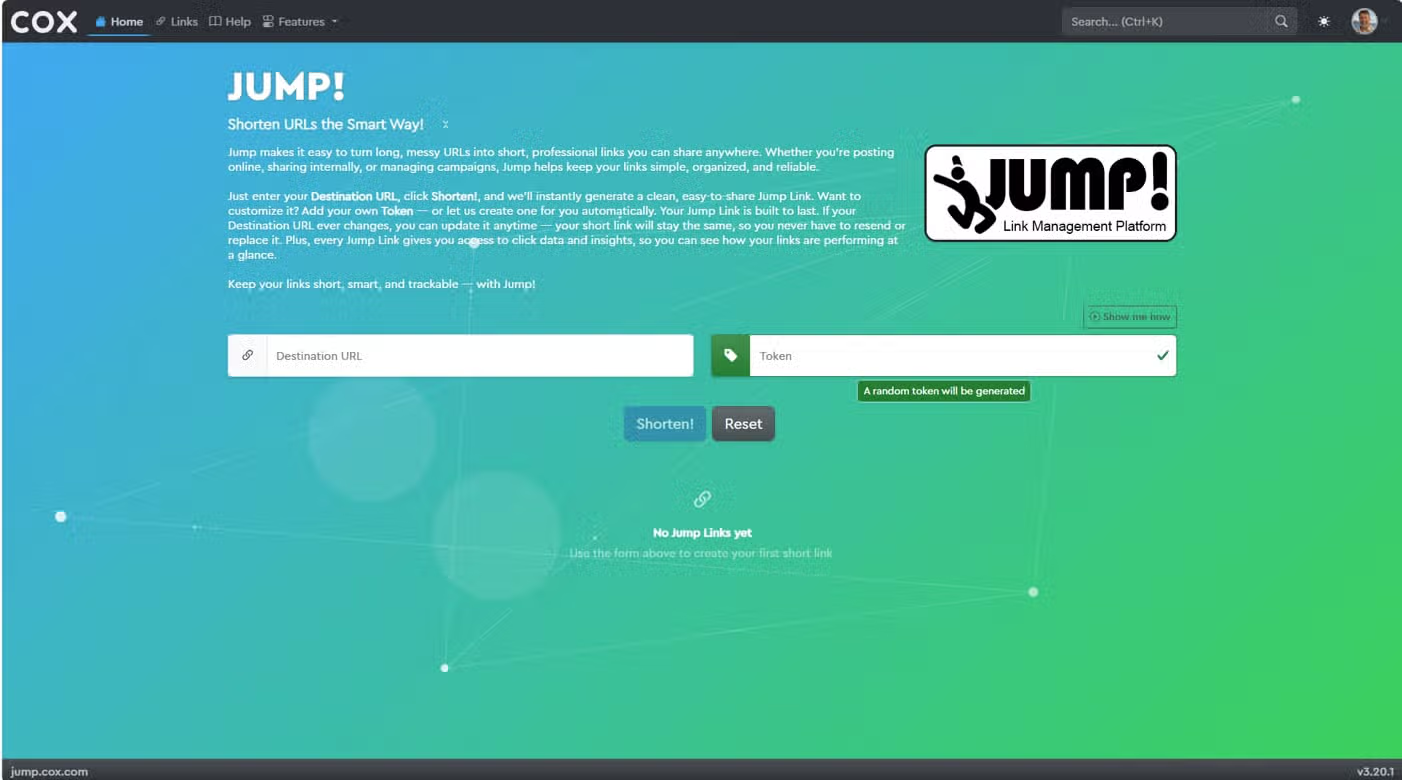
- Jump! landing page: The main entry point for creating a shortened link and learning what the service provides.
- Link creation: A focused workflow for entering a long URL and generating a concise link.
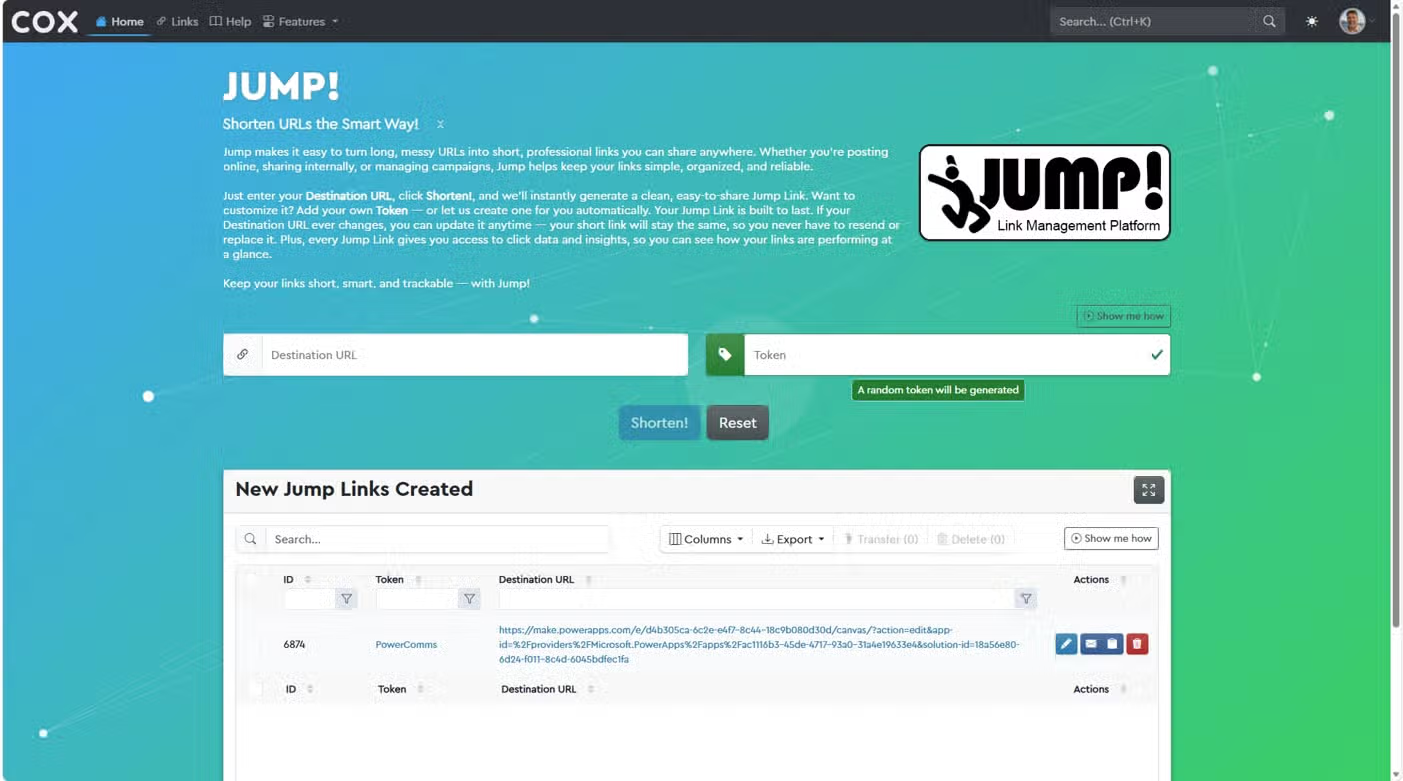
- Creation feedback: Confirmation states that communicate when a shortened link has been created and is ready to use.
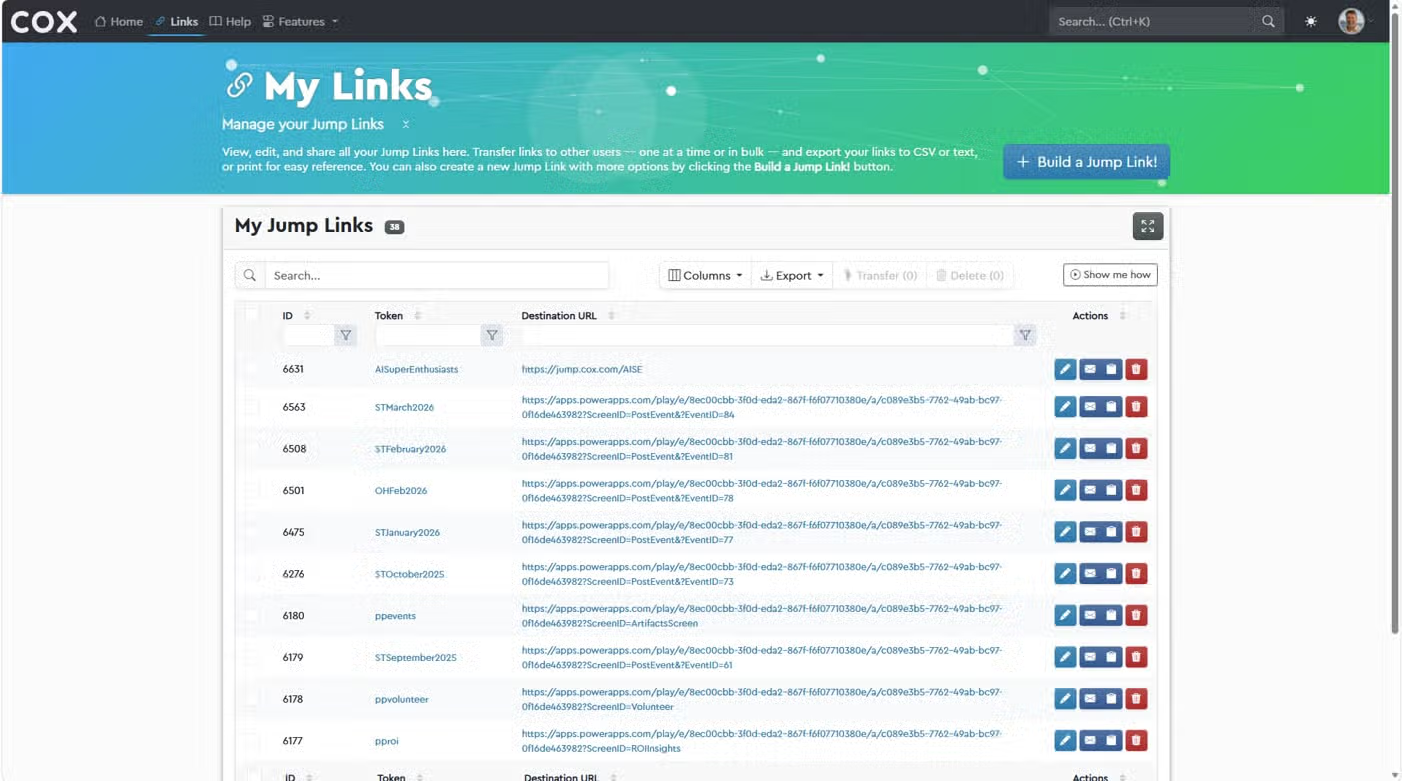
- My Links: A centralized table for viewing, searching, and organizing links created by the user.
- Link management: Actions for editing, deleting, emailing, and copying individual links.
- URL transfer: Support for transferring shortened URLs individually or in bulk.
- Help: Guidance and explanatory content for understanding and using Jump!.
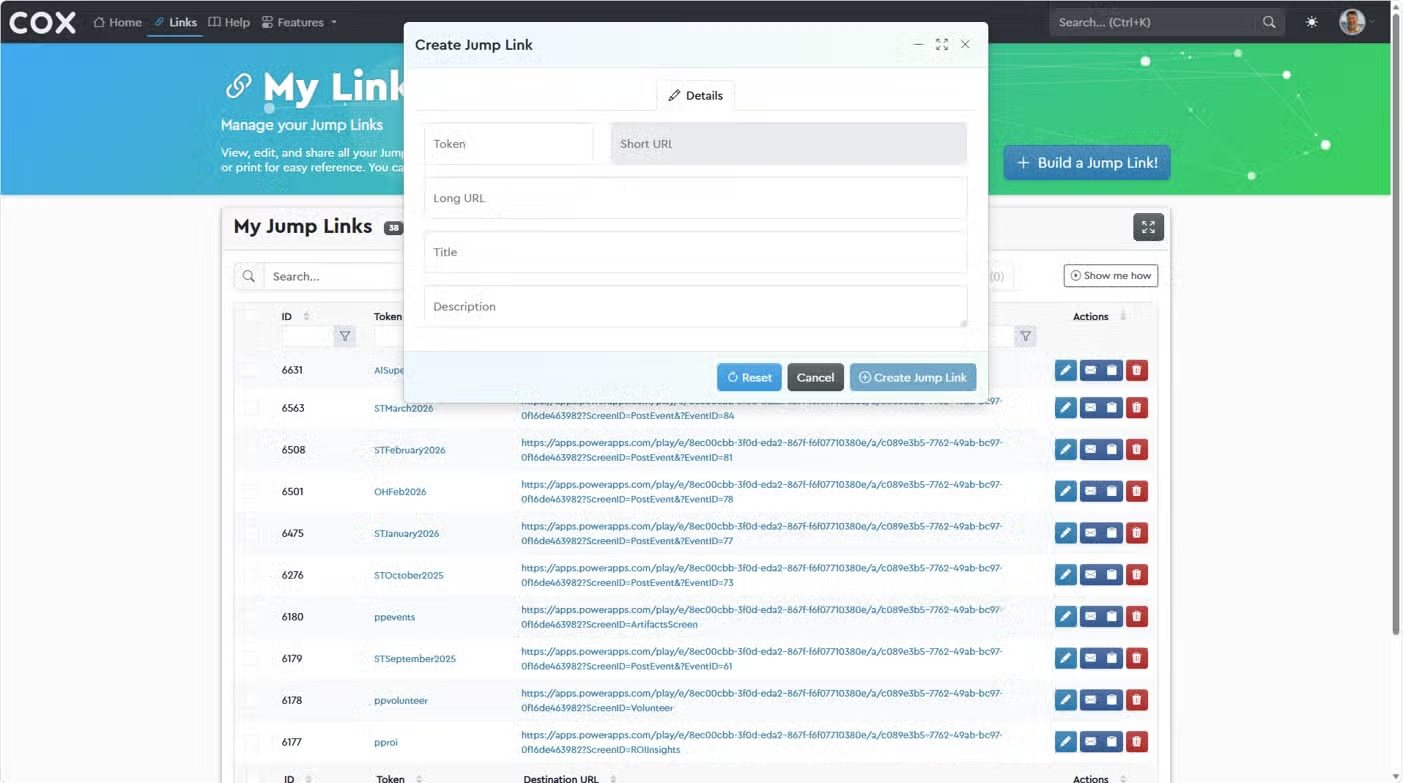
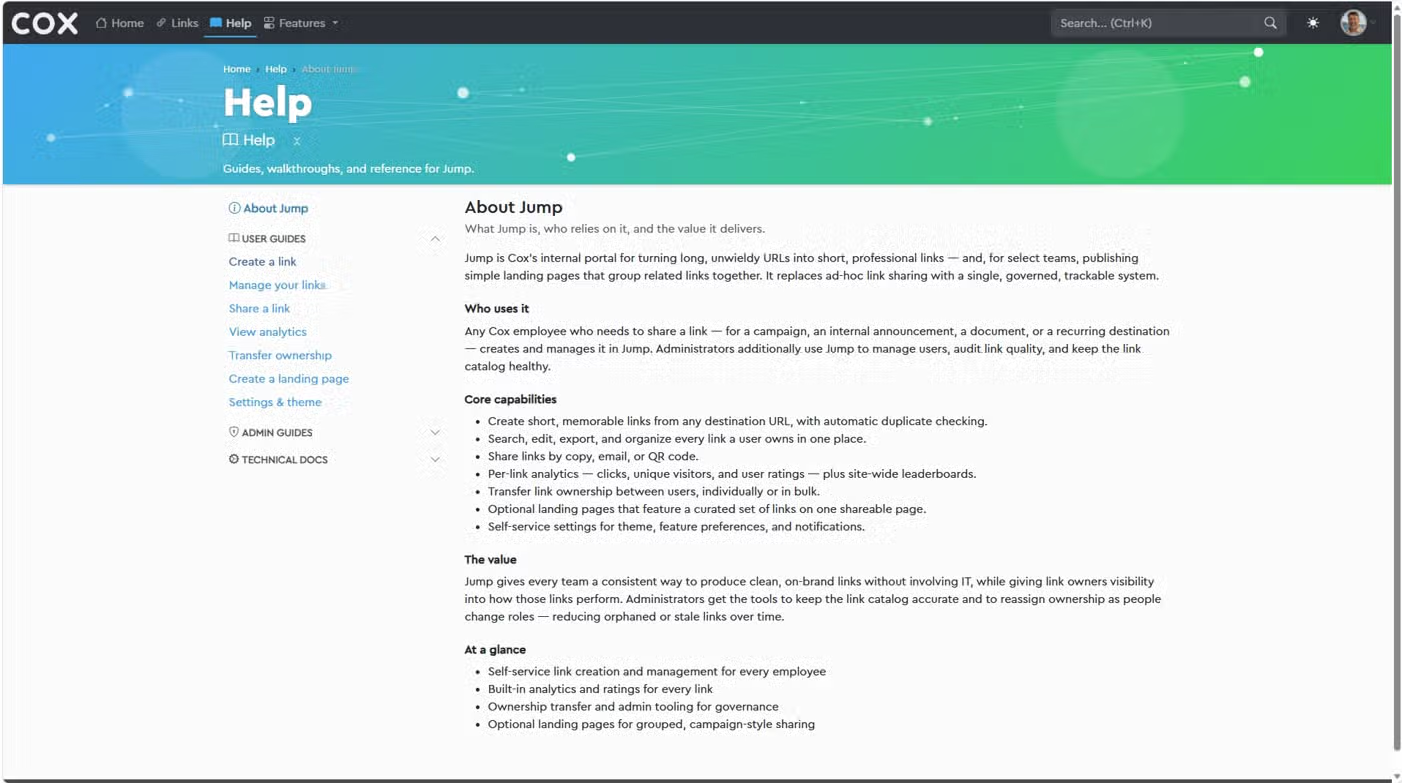
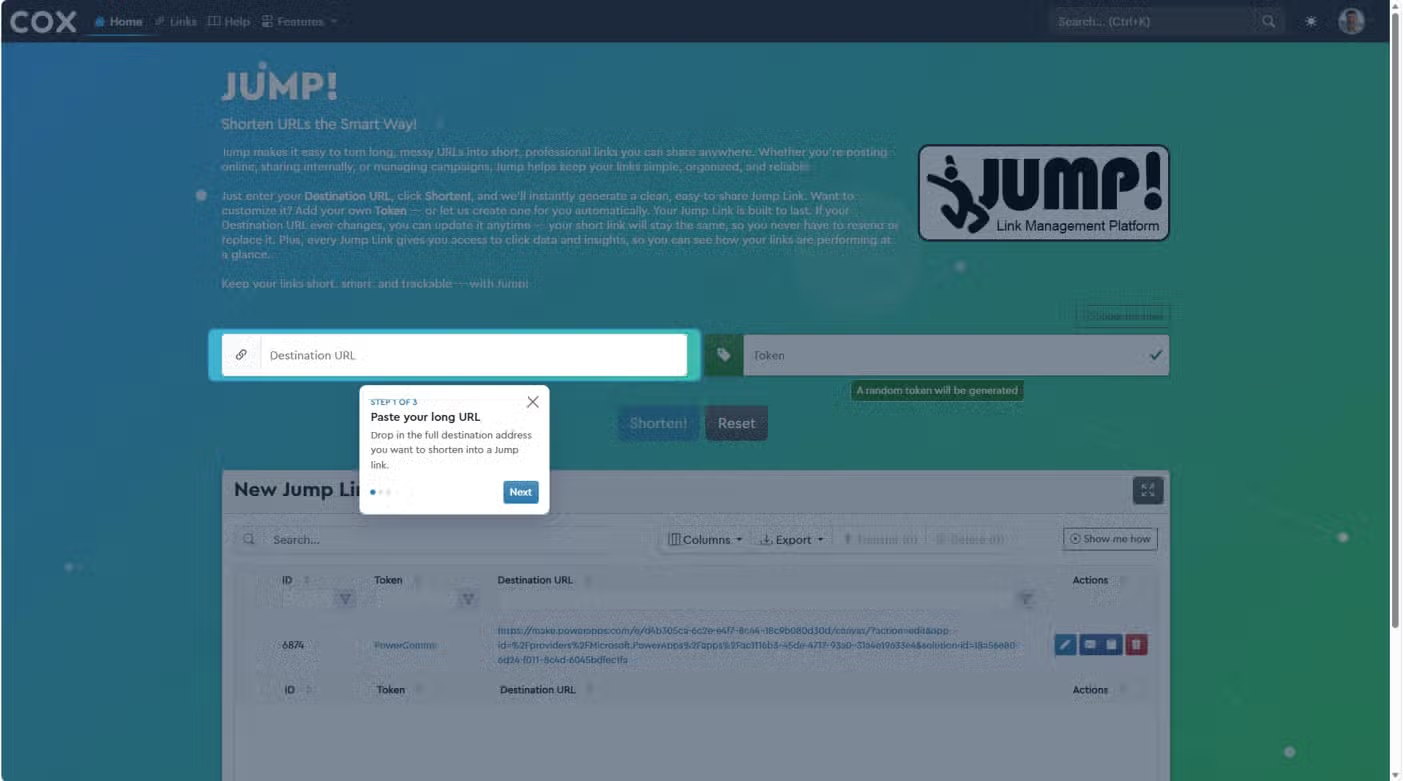
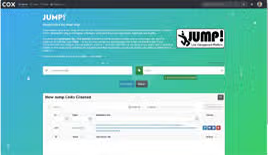
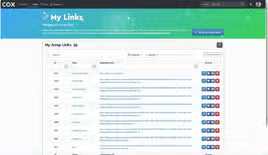
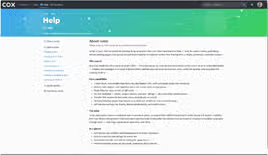
The six-screen reference illustrates this structure through the landing page, My Links table, Create New Link dialog, Help page, newly created links view, and creation confirmation state.
The information architecture was designed to help users enter through a quick creation task, an existing link-management need, or a question about how the service works and still reach a clear next step.
UX/UI design and visual system
The UI design translated the strategy into a direct, recognizable, and operational link-management experience.
The screen designs use a branded landing page, prominent link-entry controls, table-based organization, modal forms, action icons, confirmation feedback, and Help navigation to help users understand where they are and what they can do next.
The design work included:
- Establishing the landing page as a clear starting point for creating a shortened link.
- Creating a focused Create New Link dialog that keeps the primary task contained and understandable.
- Designing the My Links table as an operational workspace for viewing and managing created URLs.
- Making frequent actions visible through consistent icons and row-level controls.
- Using confirmation states to connect the creation action to the newly available shortened link.
- Providing a Help experience that explains the product and supports self-service use.
- Creating a visual language that combines Cox branding with a distinct Jump! identity.
- Considering clarity, scanability, consistency, and ease of use across creation and management screens.
The design intent was to make Jump! feel simple and approachable for quick tasks while still providing enough structure for employees who manage many internal links.
Copywriting and content design
Copywriting and content design were important to the experience because users need to understand what a shortened link represents, how to create one, and what actions are available after creation.
The content-design work included:
- Naming and organizing the Jump! landing page, My Links, Create New Link, and Help experiences.
- Clarifying the relationship between a long source URL and its shortened link.
- Supporting clear actions for creating, copying, emailing, editing, deleting, and transferring links.
- Providing concise guidance around the link-creation workflow.
- Using confirmation language to make successful creation and other completed actions understandable.
- Defining terminology consistently across link creation, management, transfer, and Help content.
The result is a content model that treats language as part of the interface—not simply supporting text added after the UI was designed.
Development and design-to-build collaboration
The development phase required translating the URL-shortening strategy and UI patterns into a working web-based application.
The focus was on preserving the intended link lifecycle, table structure, row-level management actions, transfer capabilities, confirmation behavior, and Help content during implementation.
The design-to-build process included:
- Communicating page structures, interaction expectations, and relationships between shortened links and their source URLs.
- Supporting implementation decisions for the landing page, creation dialog, My Links table, Help experience, and feedback states.
- Maintaining consistent action patterns across individual link-management controls.
- Supporting both individual and bulk URL transfer workflows.
- Balancing quick link creation with the maintainability and scalability required for a growing set of Cox resources.
Outcome and organizational value
Jump! provides a centralized home for creating and accessing shortened links to Cox applications, tools,.avifages, and other internal resources.
It helps employees share and remember company resources more easily by replacing lengthy URLs with concise, recognizable entry points. The My Links experience also gives users an organized way to manage the links they create over time.
Beyond convenience, Jump! creates a consistent navigation layer for frequently used company resources. By supporting link creation, organized access, individual and bulk transfer, and ongoing management, the service provides a scalable foundation for internal resource distribution.
Key Takeaway
The creation of the Jump! URL Shortener required more than implementing a link-conversion form. The work combined experience strategy, information architecture, interaction design, visual design, content design, link-management patterns, feedback states, and ongoing resource organization.
The central contribution was turning long and difficult-to-share URLs into a clear, manageable, and reusable experience for employees.
Jump! gives the organization a consistent entry point for internal resources while making links easier to create, recognize, distribute, access, and manage.